







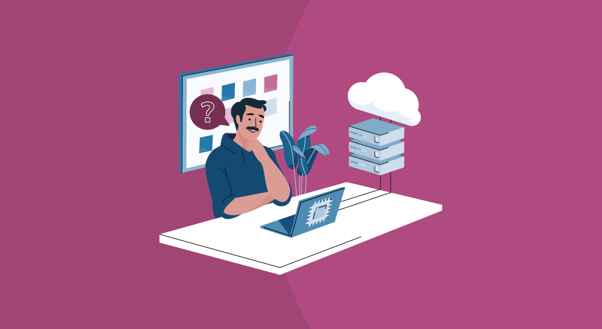
Spilltekno – PC backup software provides you with an option to recover from any form of hardware failure or hacking by automatically backing up the information on a workstation’s computer. This allows IT staff to quickly restore systems and manage company data, no matter where the user is.
Securing a modern, distributed perimeter requires absolute data resilience. With hybrid work now firmly established as the standard corporate architecture, endpoints are the new front lines.

For MSPs and sysadmins, ensuring seamless continuity means looking beyond standard cloud sync tools to dedicated PC backup software. When workstations are scattered across a dozen different home networks, centralized visibility is your best asset.
This guide breaks down how to engineer a bulletproof backup strategy that keeps your hybrid fleet secure from data loss.
The Hidden Vulnerability of Local Data
Many companies feel that as long as they have access to cloud services such as Google Workspace and Microsoft 365, their data is protected.
But think about the practicality of these tools. Employees constantly download large files, save local drafts of presentations, and keep project assets right on their desktops.
In case the laptop gets stolen, lost, or damaged, the data stored locally is gone. PC backup software acts as a silent background assistant. It continuously copies those local files and sends them to a secure, centralized repository.
How Modern PC Backup Software Works
Older backup tools required users to plug in external hard drives or manually click a button to start a backup. In a hybrid environment, that simply does not work because users may forget.
Modern software runs quietly in the background. It uses a method called incremental backups. Instead of copying every single file on the computer every day, it only copies the files that have changed since the last backup. This keeps the software fast and ensures it does not hog the employee’s internet bandwidth.
Essential Features of PC Backup Software for Hybrid Environments
| Feature | What it Does | Why you Need it |
| Data Protection | Backs up changes every few minutes | Minimizes data loss if a crash happens mid-day |
| Bandwidth Throttling | Slows down backup speeds on weak networks | Prevents video calls from freezing |
| Remote Wiping | Erases local data from a central dashboard | Protects the company secrets if a laptop is stolen |
| Self-Service Restore | Let employees recover files without IT help | Saves time for remote workers in different time zone |
3 Reasons Hybrid Teams Need Endpoint Backup
Let’s take a look at the 3 most important reasons why hybrid teams require backup and how PC backup software helps in each case.
1. Protection Against Ransomware
Ransomware hackers focus on remote employees since home networks tend to be easier to hack than company networks. When an employee clicks a malicious link by mistake, the ransomware will lock up the entire computer.
If you have proper backup software for your PC, there is no need to pay the ransom. The IT department can wipe the affected storage and install the operating system again.
2. Streamlined Device Replacement
When an employee is remote, replacing a broken machine can cause days of lost productivity.
With cloud backups, the process is much simpler. IT can ship a brand-new laptop directly to the employee’s house. Once the employee logs in, the backup software downloads their exact desktop environment. They are back to work quickly.
3. Compliance and Data Governance
Many businesses have stringent laws about how their sensitive data is to be managed. If you allow your employees to keep any of their client data on their laptop hard drives without any backup, you might have to pay hefty compliance fees.
Centralized backup software ensures that all company data is accounted for and auditable.
Choosing the Right Tool
When looking for PC backup software for a hybrid team, prioritize simplicity. The software should be easy for IT to install remotely across hundreds of computers at once. It should also be invisible to the end user so it does not interrupt their daily workflow.
Ready to secure your remote endpoints? Check out Comet Backup to easily manage lightweight, secure, and fully automated cloud backups for your entire hybrid workforce.
FAQs
Does PC backup software slow down an employee’s home internet?
No, modern backup tools use bandwidth throttling. They automatically slow down upload speeds when they detect heavy internet usage. This ensures video calls and daily tasks run smoothly without interruption.
Can remote employees restore their own deleted files?
Yes, most advanced software features a self-service recovery portal. Employees can log in and restore a single accidentally deleted file on their own. They do not need to wait for the IT helpdesk to intervene.
Are backups encrypted while traveling over public Wi-Fi?
Yes, professional backup solutions encrypt data before it ever leaves the laptop. The files remain fully encrypted both during transit over public networks and while stored at rest in the cloud repository. Spilltekno
Simak update artikel pilihan lainnya dari kami di Google News dan Saluran WhatsApp Channel